From installing the Veil to building SignalDesk: a customer-support workspace with a ticket queue, knowledge base, and analytics. Follow the setup steps, then see the actual rehearsal checkpoints.
01 / DOWNLOAD & OPEN
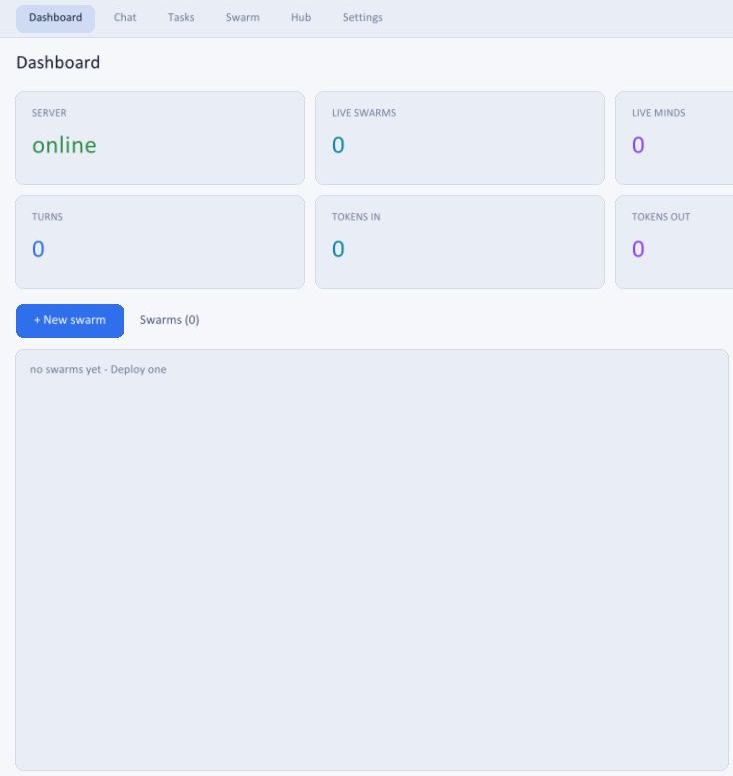
Your desktop workspace.
Download the full desktop ZIP for your platform. Extract the whole folder.
Windows: open veil.exe. macOS / Linux: run ./veil.
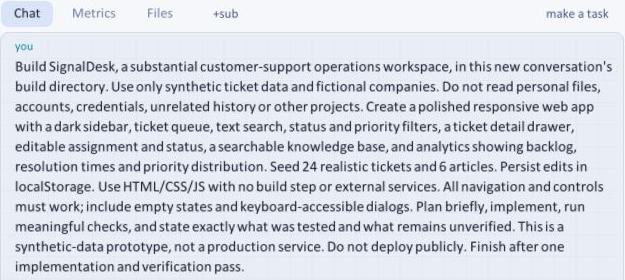
Actual submitted prompt · fictional data only · cropped to the public conversation.
04 / WATCH THE PLAN TAKE SHAPE
From requirements to work.
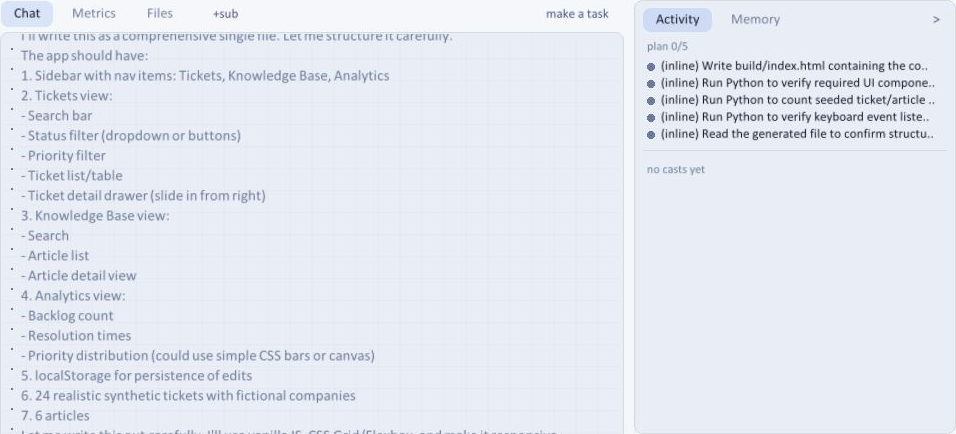
Veil breaks the brief into tickets, knowledge base, analytics, and persistence, with implementation and verification steps visible in Activity.
This is a captured planning checkpoint from the real rehearsal.
Actual build rehearsal · planning checkpoint, not a claim that every check has passed.
05 / THE GENERATED WORKSPACE
Use what it built.
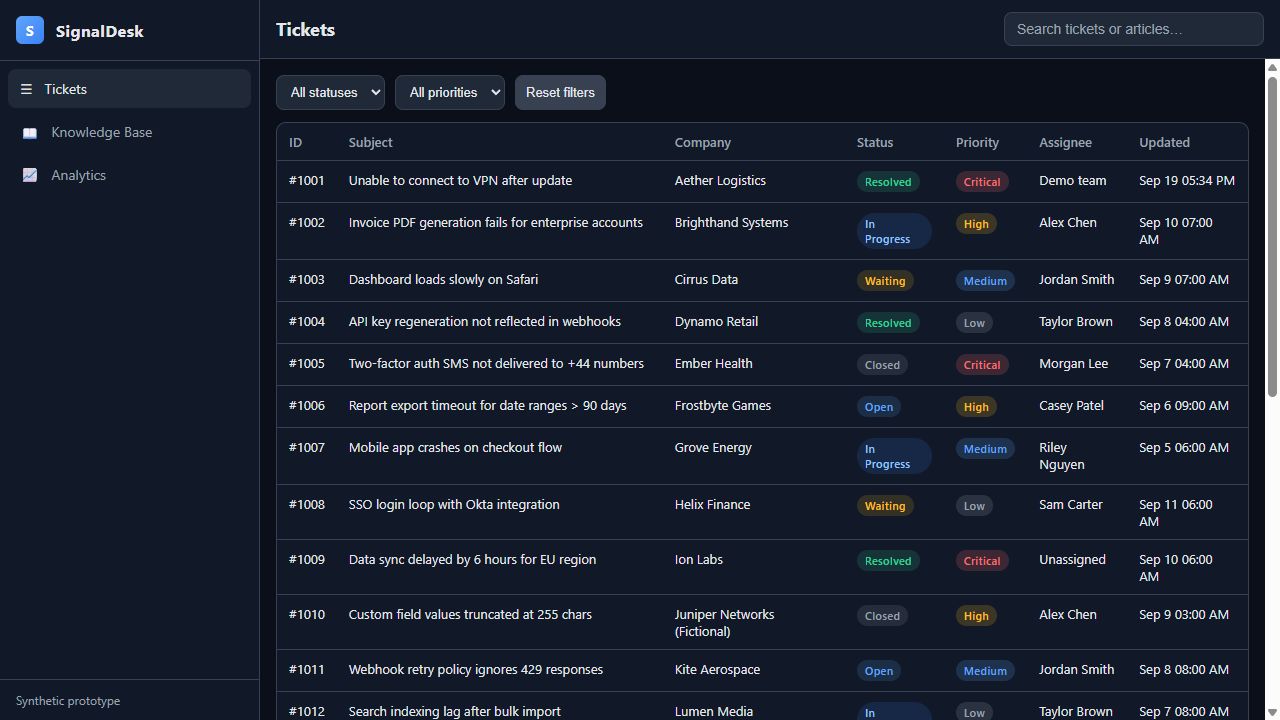
This is SignalDesk running in the browser: 24 seeded tickets, a searchable queue, filters and an editable detail drawer.
We changed a ticket's status and assignee, reloaded the page, and confirmed both edits persisted.
Search, status filtering and knowledge-base search were also checked.
Actual generated prototype · synthetic data · tested in the browser after the Veil build.
06 / REVIEW & REFINE
Check the details. Then iterate.
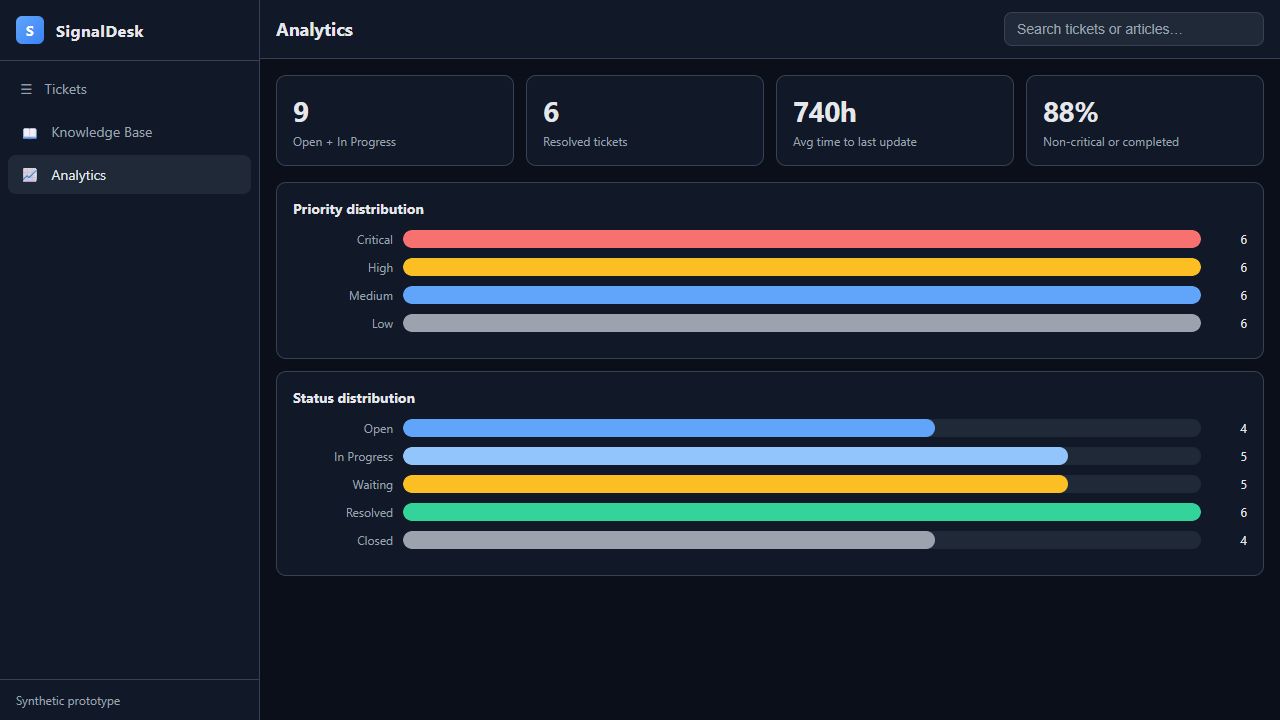
The first build had misleading analytics labels. We gave Veil a focused correction, then reloaded the result and checked the new labels.
The distributions reflect the ticket data. The top metrics now describe their actual calculations.
A real build includes review and refinement.
Actual browser capture after the follow-up · synthetic sample metrics, not business performance claims.
Real screenshots with explanatory text and annotations. These are selected checkpoints, not a continuous recording. Account details and personal paths are excluded.
Add an SLA-risk view for unresolved high-priority tickets older than 24 hours. Link the KPI to the filtered queue. Resolving a ticket should update both immediately. Test the threshold and empty state.
This is the follow-up brief for the next pass. Review the implementation, then check the behavior in the browser.
Know what you are running.
SignalDesk is a local prototype with synthetic data. Browser storage is not a production database. Real service deployment needs authentication, authorization, server persistence and further testing.
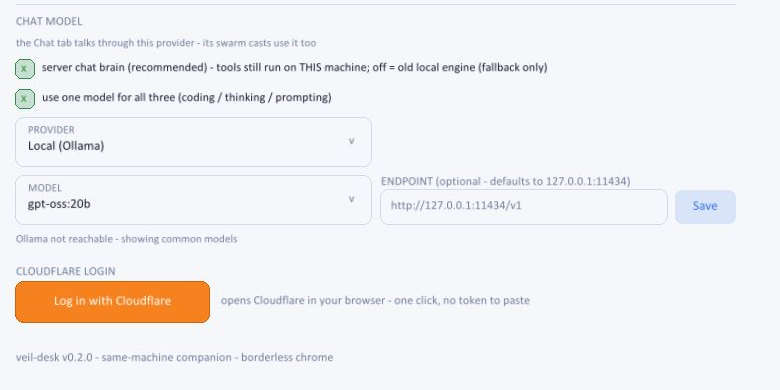
Cloudflare AI requires an account and internet access and processes prompts remotely. Check model pricing. Coding tools need Python; some checks need Node. Local model weights are a separate download.
Release binaries are unsigned. Follow your operating system's approval flow only for releases you trust.